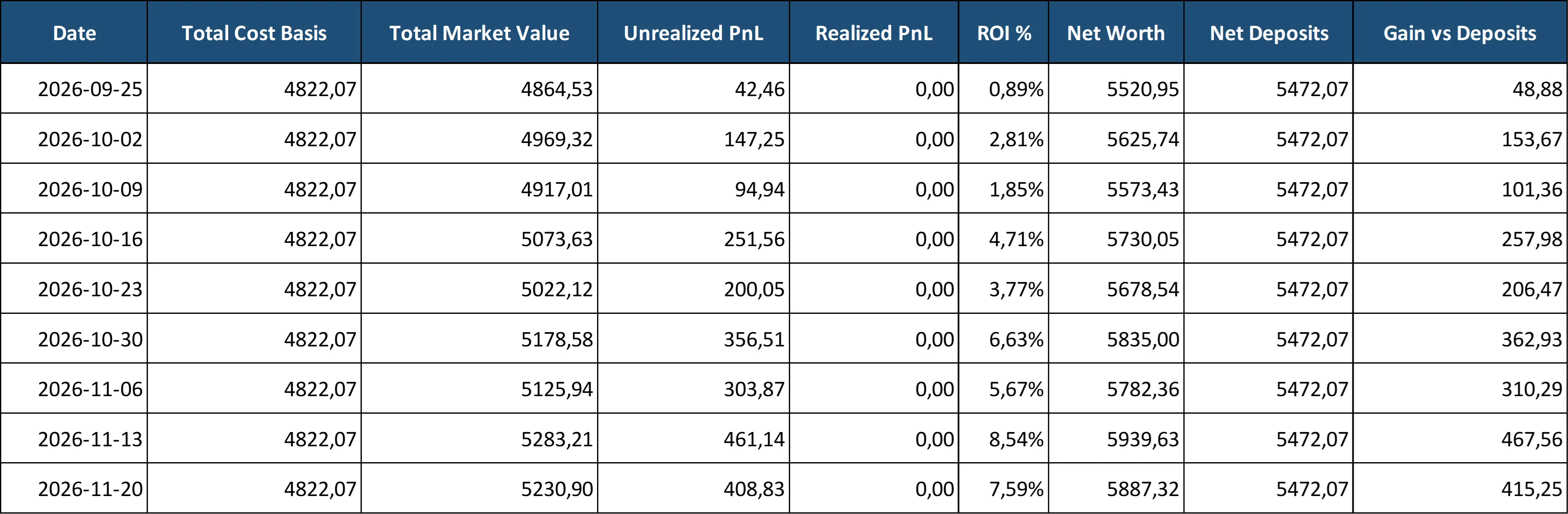
A history, one row per day
Portfolio History gets a row each day you use the app: what you put in, what it is worth, your gains and your return. Follow it over months, or chart it.
See what each investment is worth today and let your Excel spreadsheet update itself. All on your computer.
A desktop app for Windows and Mac.
Version 2.1.0 · 25 Nov 2026 · Free · Other systems
 Statement Portfolio Tracker
How it works
No terminal, no settings to fill in.
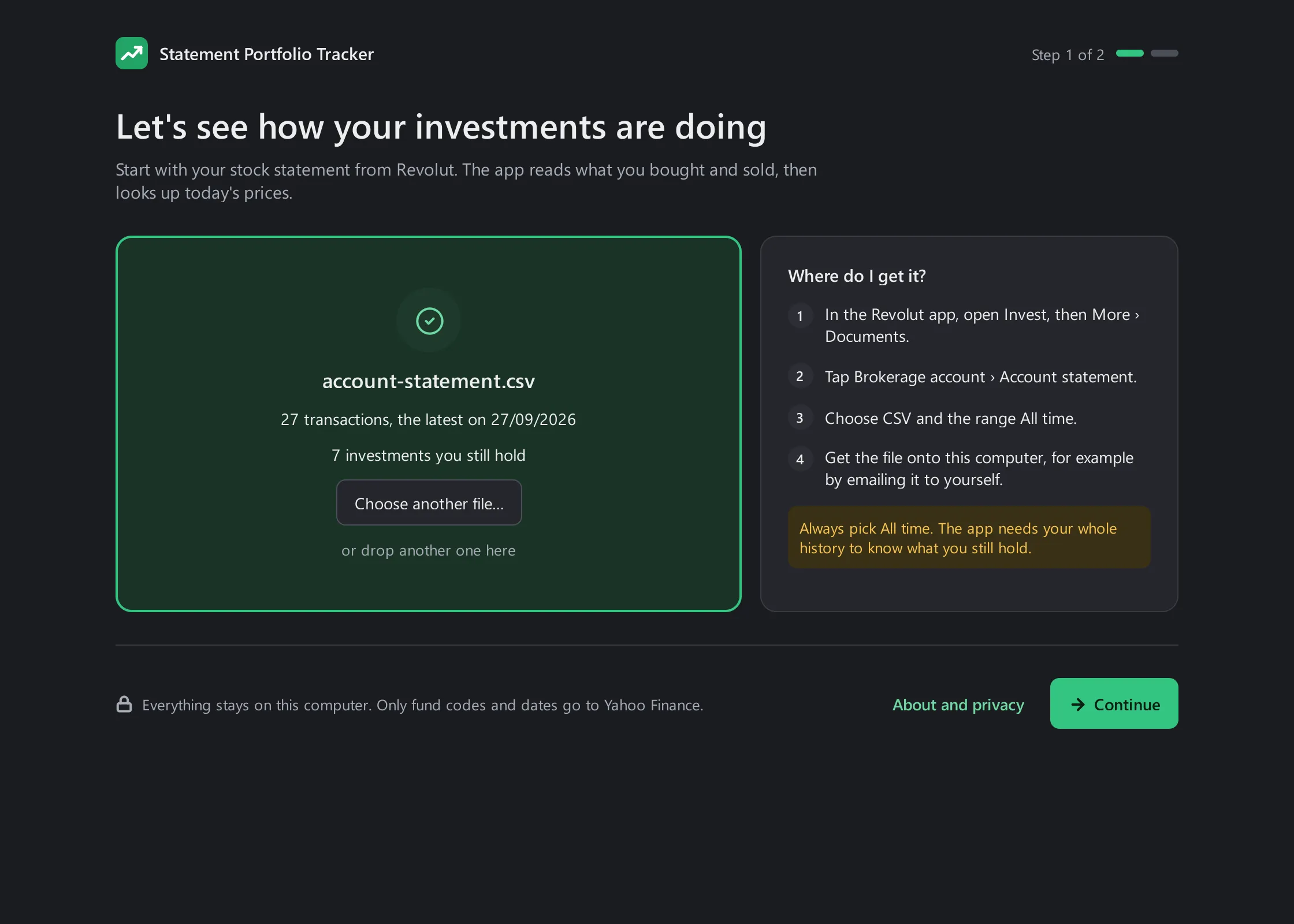
In the Revolut app, ask for your brokerage account statement as a CSV file covering all time. It lists every top-up, buy, sale and dividend since you started.
In the Revolut app, tap
Invest
More
Documents
Brokerage account
Account statement
You get
account-statement.csv
Ready to drop into the app
Get the file onto your computer, for example by emailing it to yourself.
Drop the file on the window. The app keeps a copy of your statement locally, so you only bring a new one after you buy, sell or add money.
Statement Portfolio Tracker 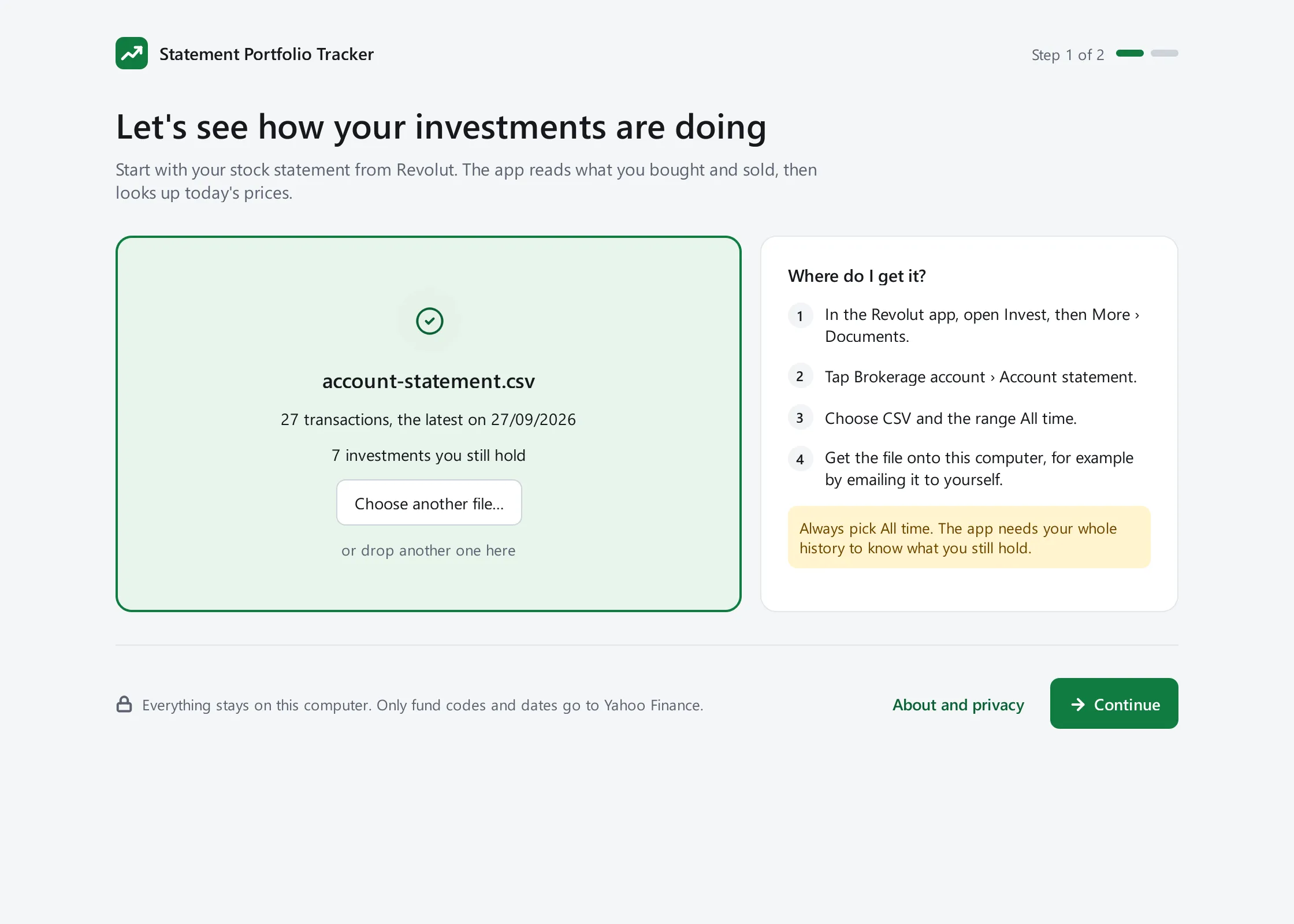
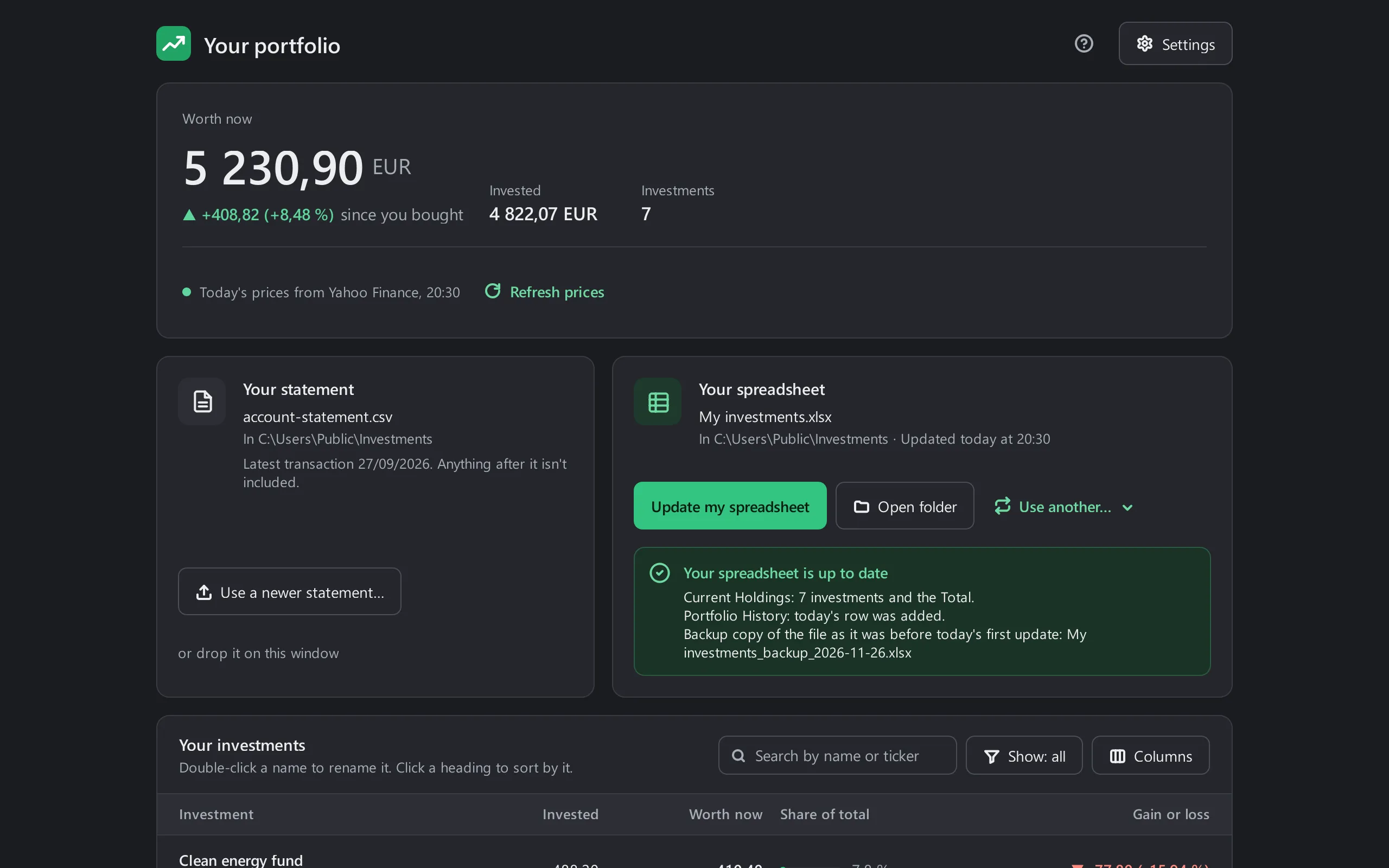
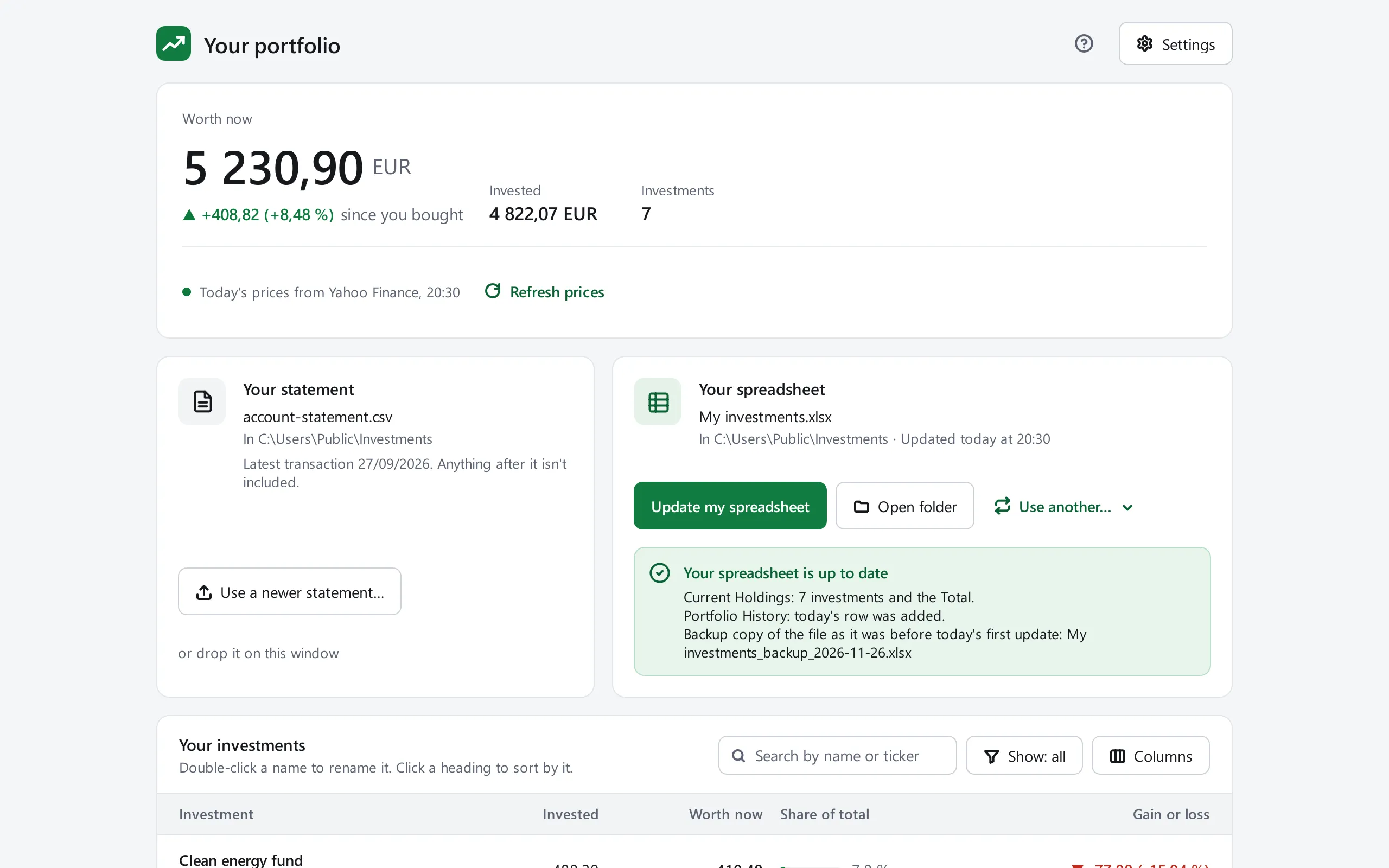
Each time it opens, the app looks up today’s prices by itself and shows what each investment is worth now, and your gain or loss.
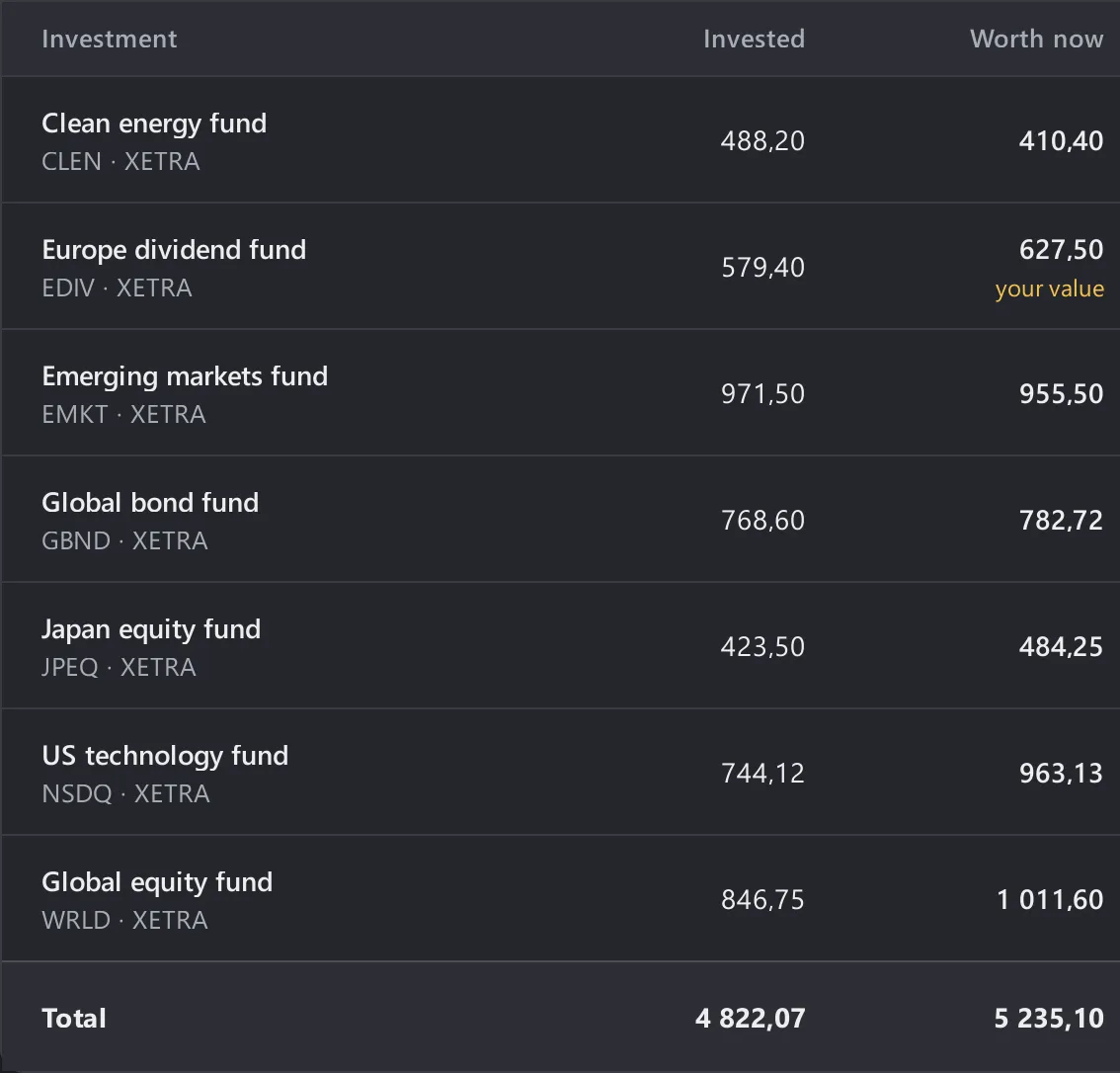
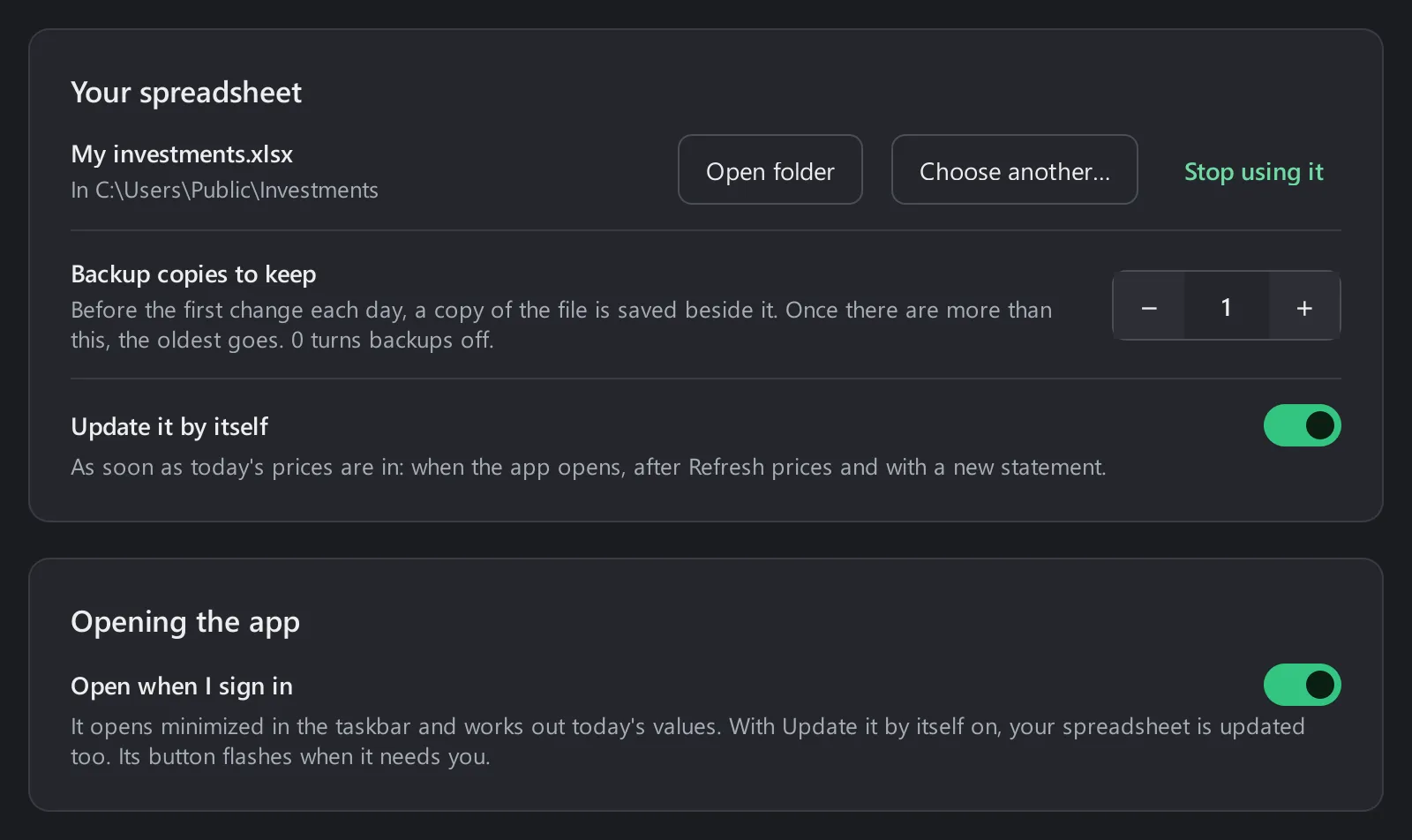
Statement Portfolio Tracker Choose your Excel file the first time, or create a new one. After that, one click brings it up to date, with a new row in your history each day. Or let the app do it for you.
My investments.xlsx 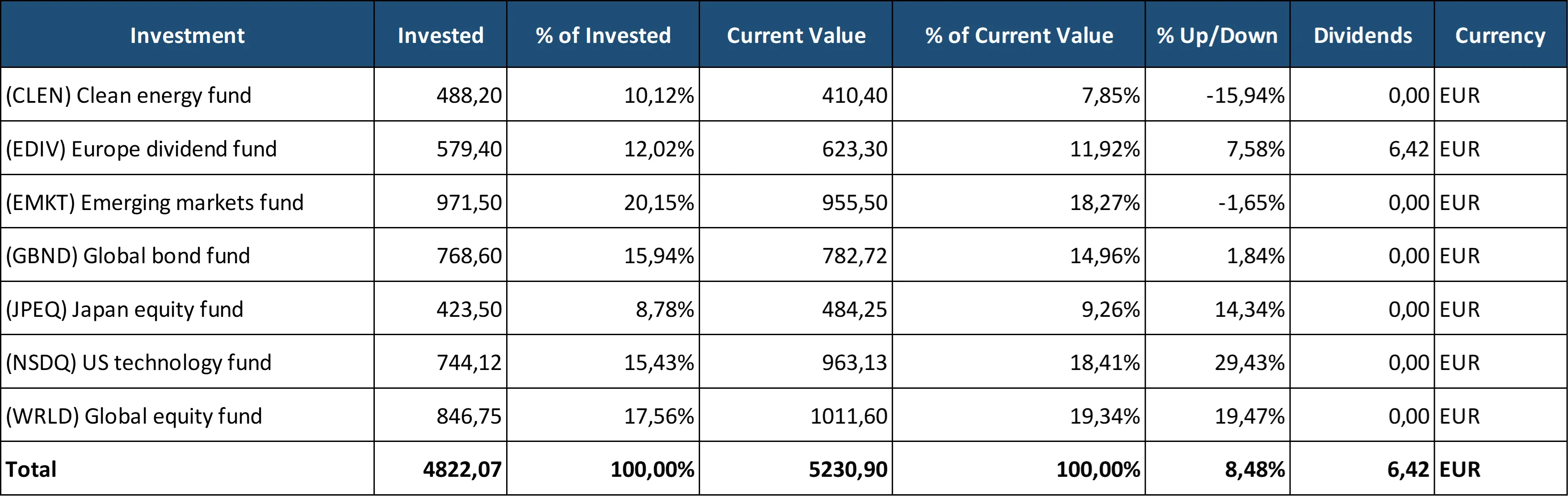
Hands-off
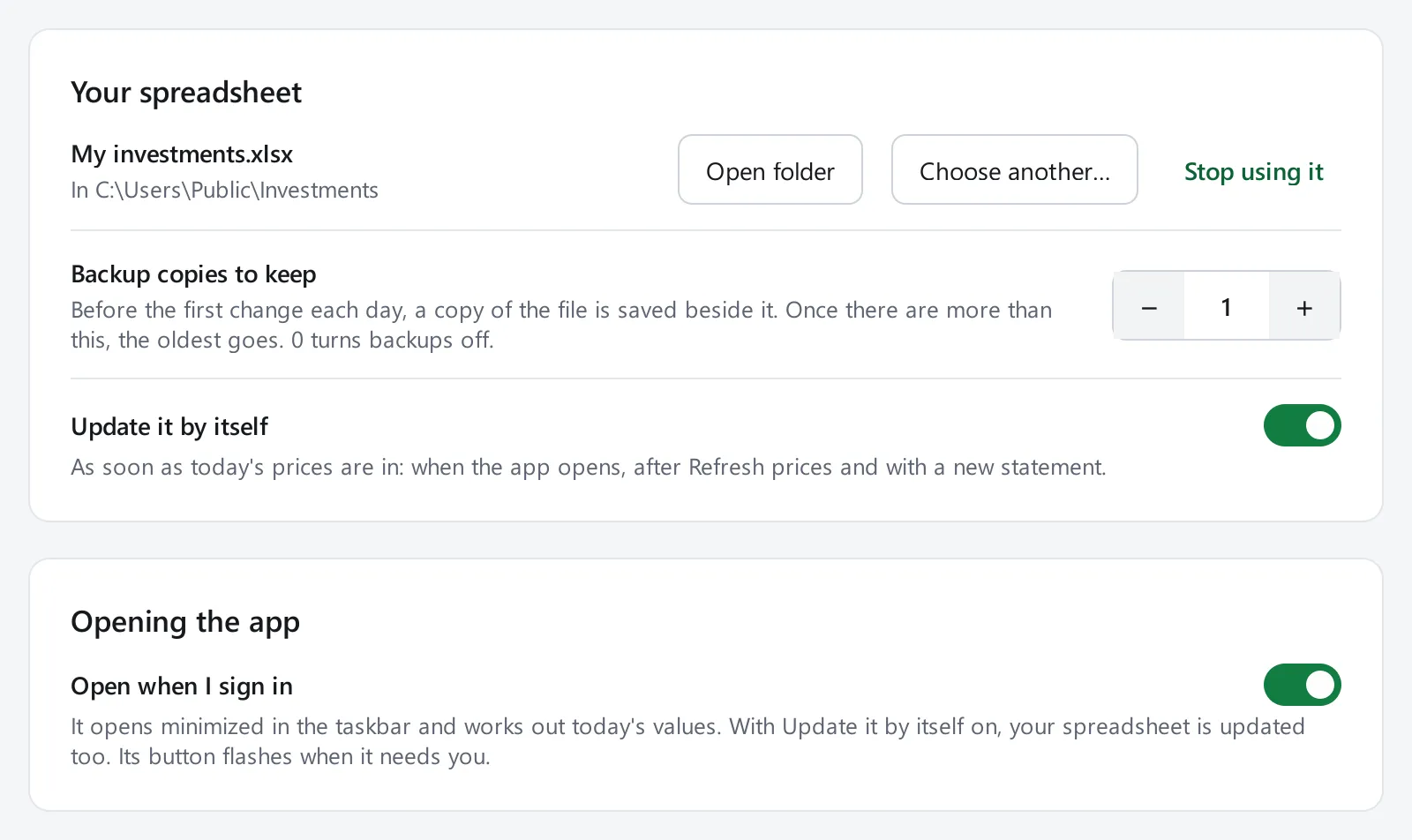
Two switches in Settings, each one up to you. With both on, your spreadsheet is updated every day without you opening anything.
The app starts minimized in the taskbar, out of your way, and looks up today’s prices.
As soon as today’s prices are in, the app writes them to your Excel file, with a new row in your history.
Its taskbar button flashes if a new investment needs confirmation, or your Excel file is open. Otherwise, you never see it.
It keeps a copy of the last one. Bring a new one only after you buy, sell or add money.
What you get
Most people only want their Excel file refreshed. The app does that in one click, or by itself.
Portfolio History gets a row each day you use the app: what you put in, what it is worth, your gains and your return. Follow it over months, or chart it.
Everything happens on your computer. No account, and nothing about how you use it is recorded.
Sent to Yahoo Finance
The codes of your funds, to look up their prices.
Never leaves your computer
Your statement, your amounts, your spreadsheet.
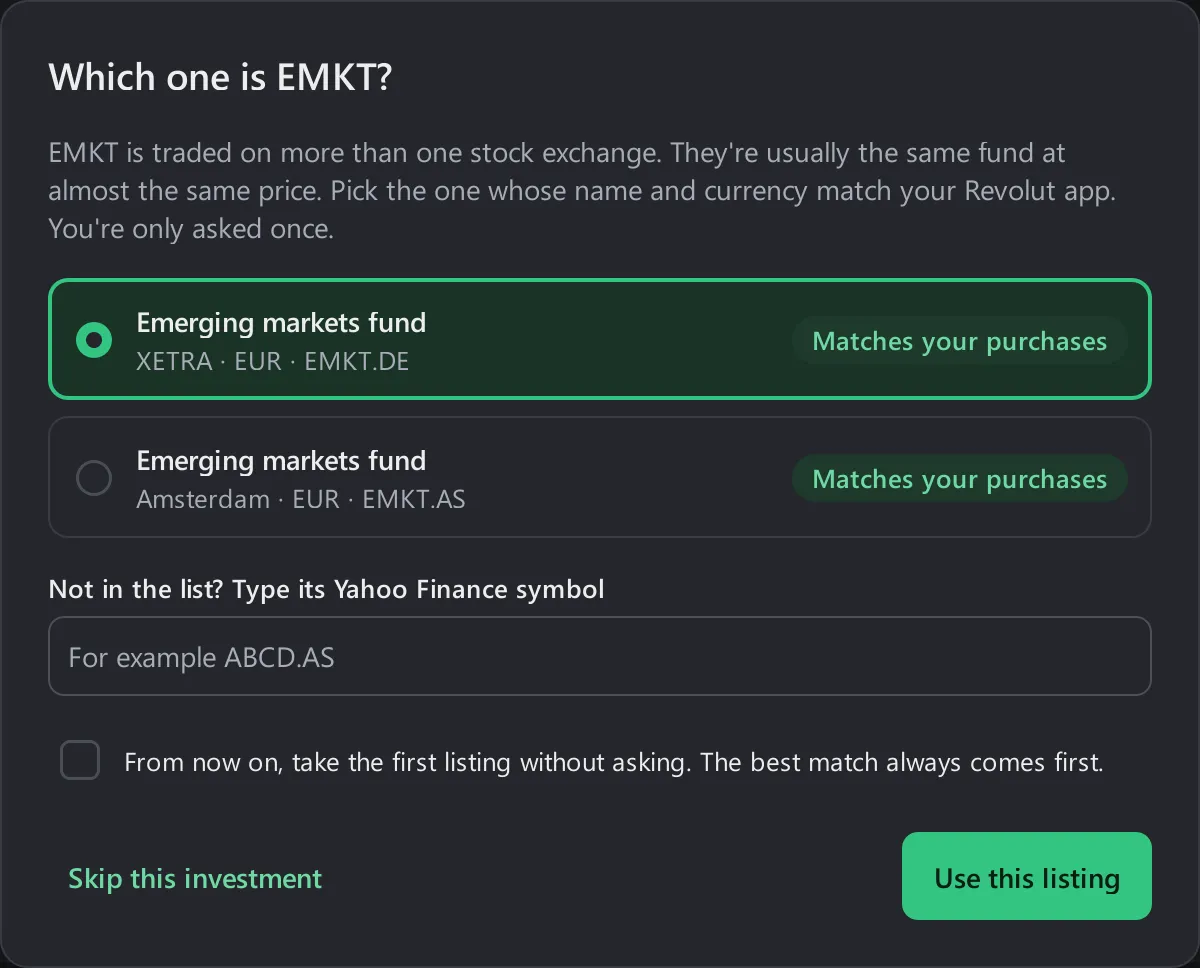
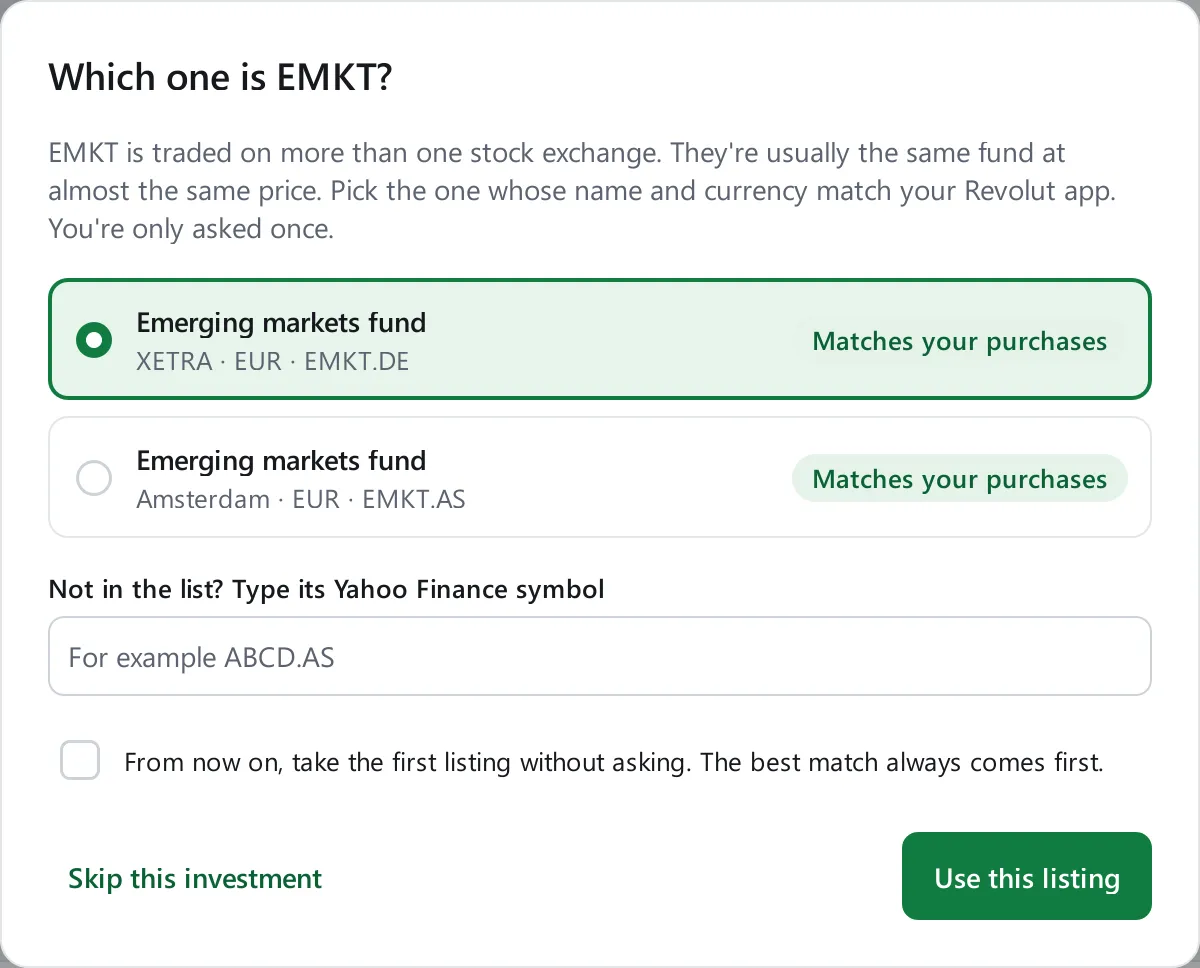
Many funds trade on several exchanges under the same code. When the app can’t tell which one is yours, it asks once and remembers.
If Yahoo Finance has no price for a fund today, the app says so instead of guessing, and lets you enter what Revolut shows. It is marked as yours and kept until a price is found.
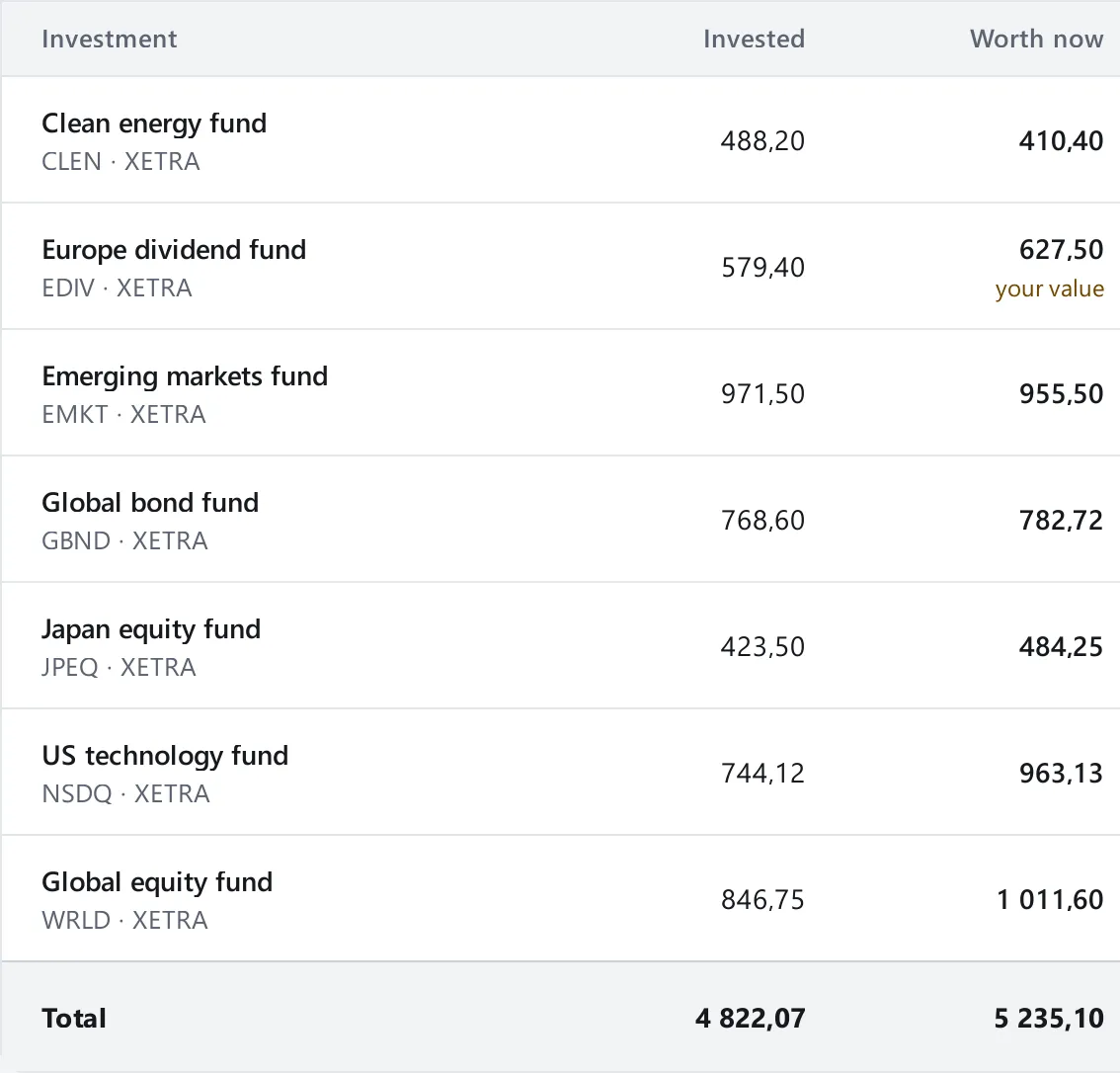
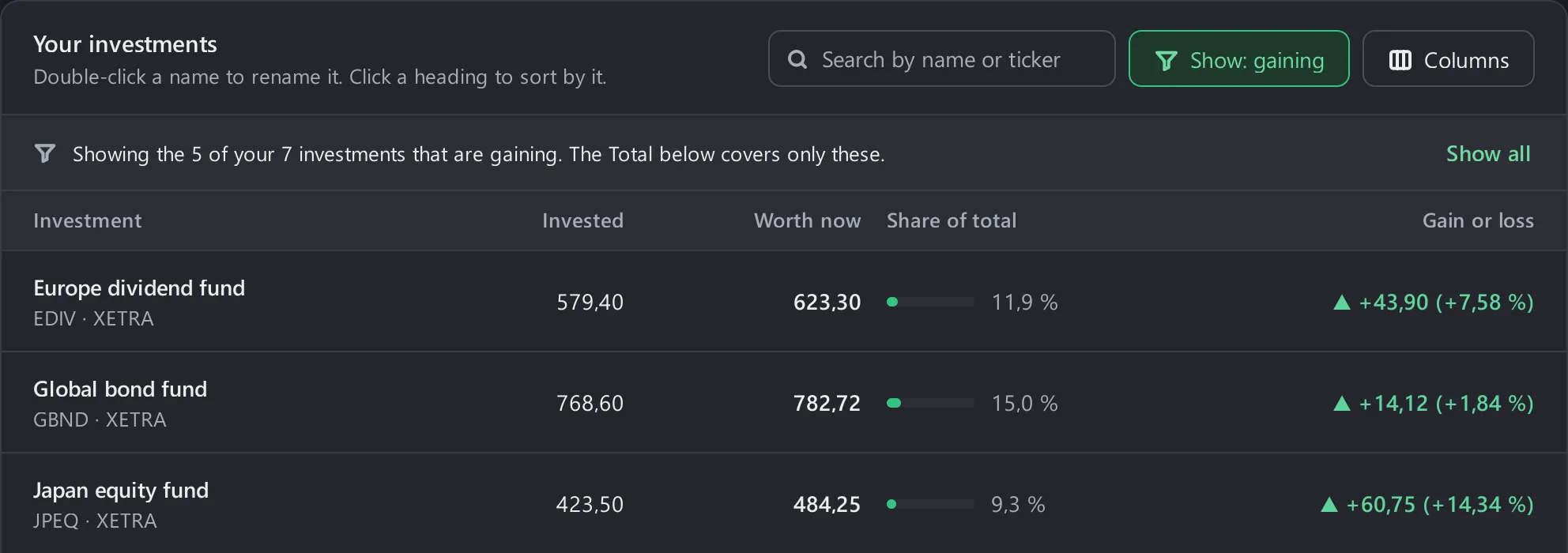
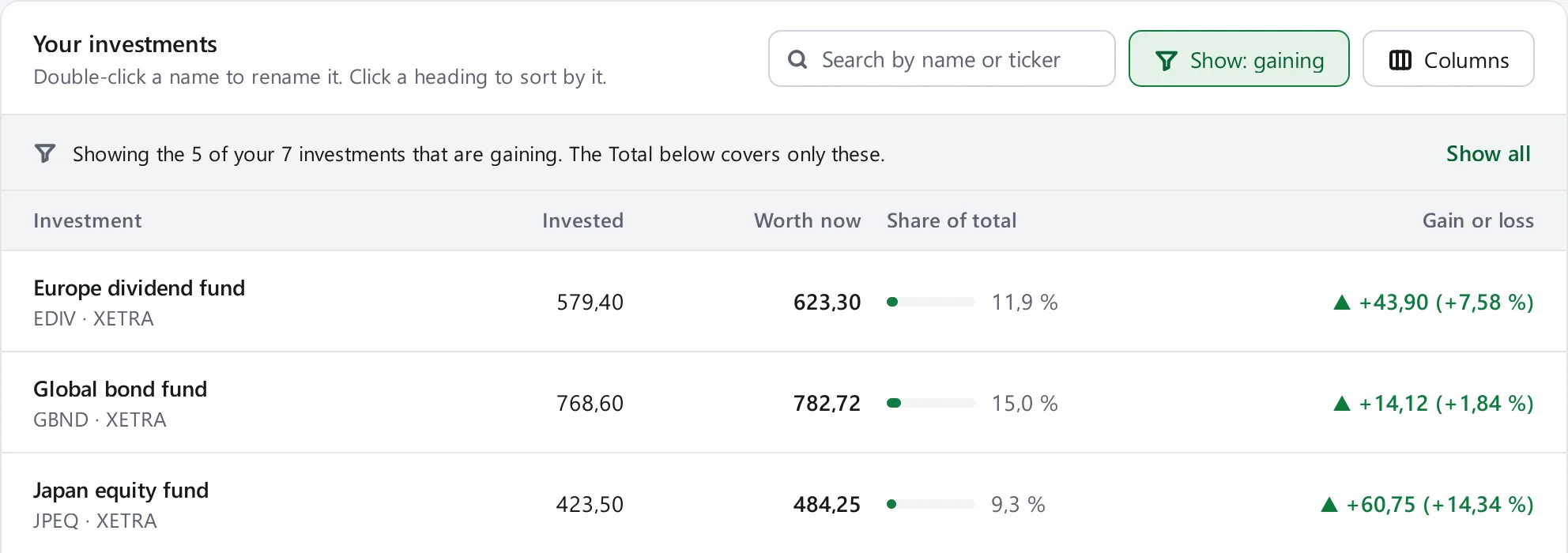
Sort by any column, show only those gaining or losing, or search by name. Choose the columns you want, from shares and price per share to dividends.
The first time each day it changes your spreadsheet, the app saves a copy next to it. You choose how many to keep.
The app writes only its two sheets, Current Holdings and Portfolio History. Everything else in your file is left as it was, and your own formulas and charts can use the app’s figures.
Kept
Values, formulas, formatting, colour rules, tables and charts.
Not kept
Pictures, shapes and text boxes. If you use them, let the app make a new file.
Questions
No. It is an independent, unofficial app that reads the statement file Revolut lets you export. It is not affiliated with or endorsed by Revolut, and it is not financial advice.
Yes, completely. There is no paid version, no account and no advertising. The source code is public under the GPL-3.0 licence.
Windows shows this for apps that are not signed with a paid certificate, not because anything was found in it. If you’re worried, the app’s code is publicly available on GitHub. Click More info, then Run anyway. It only asks once, for the installer. Please don’t turn off Windows security to install it. Step-by-step help.
macOS refuses apps that are not signed by Apple the first time. If you’re worried, the app’s code is publicly available on GitHub. Open System Settings › Privacy & Security, scroll down and click Open Anyway next to the app’s name. This allows this one app only. The Mac version is still experimental. Step-by-step help.
In the Revolut app: Invest › More › Documents › Brokerage account › Account statement. Choose CSV and All time. Get the file onto your computer, for example by emailing it to yourself. Always choose All time: the app needs your whole history to know what you still hold.
Only the codes of the funds you hold, and dates, go to Yahoo Finance to look up prices. Your statement, your amounts and your spreadsheet never leave your computer, and the app records nothing about how you use it.
No. The app keeps a copy of the last statement you gave it, and works out today’s values from it each time it opens. Bring a new one only after you buy, sell or add money: drop it on the window.
Yes. In Settings, turn on Update it by itself, and Open when I sign in if you like: the app then opens minimized when you sign in to your computer, and updates your spreadsheet as soon as today’s prices are in. More in the guide.
No. It writes only its own two sheets, Current Holdings and Portfolio History, and keeps your values, formulas, formatting, tables and charts. Because it saves the whole file again, pictures, shapes and text boxes in it are lost; if your file has any, let the app create a new spreadsheet instead. A backup copy is saved before the first change each day.
Yes, through Google Drive for desktop: keep the Excel file in your Drive folder and open it from drive.google.com. Google Sheets edits it as an Excel file. How to set it up.
It reads only Revolut’s stock statement, in one currency. It shows simple figures (what you paid against what it is worth now), with no tax calculations. It is in English only and does not update itself: new versions are on this site. All known limitations.

Free. No account. Nothing to set up.